Watchletic
Run the plan you already have.
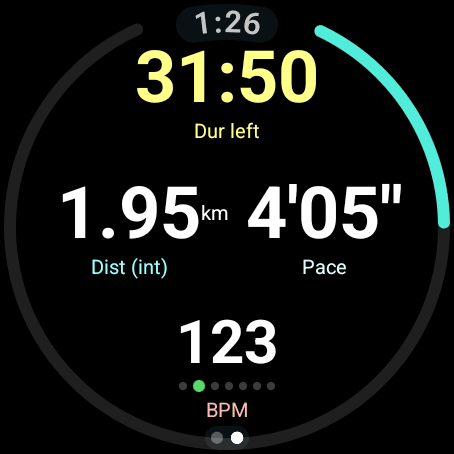
Import structured sessions from coaching platforms and training calendars, then follow the workout directly on your watch.
Import planned workouts, connect sensors such as Stryd and heart-rate monitors, then send the completed session back to your training service.
Import plans and export results
 Runna
Runna Tymewear
 TrainingPeaks
 Final Surge
 Intervals.icu
 Nolio
Nolio Runcoach
 CoachX
 TrainAsONE
 Trenara
 AI Endurance
 Athletica
 Tredict
 StrideOn
 V.O2
V.O2 Strava
 Runalyze
 Smashrun
 Stryd
StrydFollow the workout on your watch
Import structured sessions from coaching platforms and training calendars, then follow the workout directly on your watch.
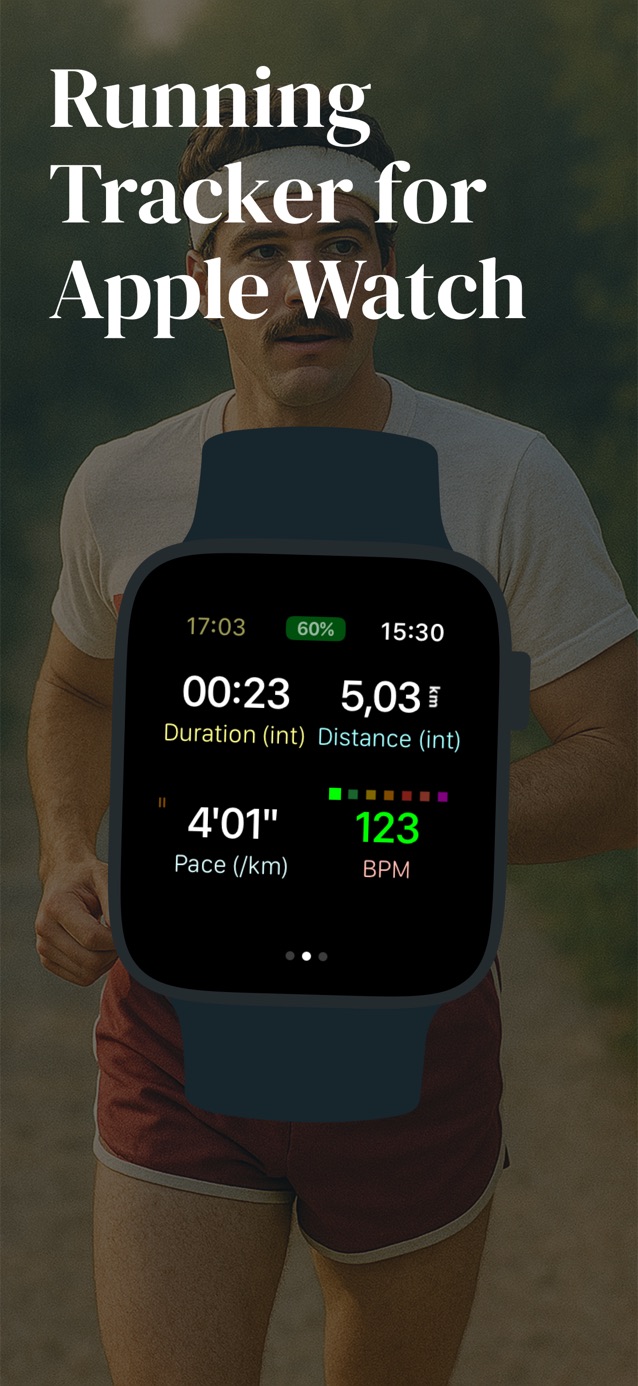
Connect multiple Bluetooth devices for foot pod power, heart rate, treadmill speed, body temperature, and heads-up display data.
Export completed workouts as FIT files to analysis platforms so your coach, training history, and progress stay up to date.
Practical guides for structured intervals, training-plan sync, and the Bluetooth sensors runners use with Apple Watch and Wear OS.
Wear OS
Import structured sessions, follow their targets on Galaxy Watch or Pixel Watch, and automatically return completed workouts.
Read the guideWear OS
Follow TrainingPeaks intervals in Watchletic with Stryd, a heart-rate strap, or Tymewear connected.
Read the guideWear OS
Record Stryd power and dynamics alongside heart rate, CORE temperature, or Tymewear breathing data.
Read the guideWear OS
Import planned runs through the Runna calendar, follow intervals in Watchletic, and connect Stryd or a heart-rate strap.
Read the guideWear OS
Bring your planned Runna sessions to Pixel Watch and return completed runs through Strava.
Read the guideApple Watch + Wear OS
Export completed runs from Apple Watch or Wear OS to Smashrun, with optional automatic uploads.
Read the guideApple Watch + Wear OS
Record breathing data directly on your watch, then automatically export to Intervals.icu, TrainingPeaks, or Strava.
Read the guideApple Watch
Build warmups, repeats, recoveries, and target ranges on your phone, then follow each step from your wrist.
Read the guideApple Watch
Import the next sessions from your TrainingPeaks calendar and send completed workout data back after the run.
Read the guideWear OS
Bring structured TrainingPeaks intervals to a Galaxy Watch running Wear OS and keep the result connected to your plan.
Read the guideWear OS
Use a compatible Bluetooth chest strap as the live heart-rate source for workouts on Google Pixel Watch.
Read the guideApple Watch
Record Stryd power and running dynamics while training by pace, heart rate, power, or another target.
Read the guideApple Watch
Connect a compatible smart treadmill or NPE Runn sensor and use its speed and distance during indoor runs.
Read the guideApple Watch
Connect a heart-rate monitor that sends R-R intervals, view DFA-a1 live, and retain the data in FIT exports.
Read the guideApple Watch + Wear OS
See which heart-rate, power, temperature, treadmill, and running-dynamics values Watchletic can record.
Read the guideYes. Watchletic imports planned runs from your Runna calendar and guides the session on a supported Wear OS watch. Connect Stryd or a Bluetooth heart-rate strap in Watchletic, then return your completed runs to Runna through Strava.
Learn more →Yes. Watchletic connects directly to compatible Bluetooth cycling power meters, speed and cadence sensors, and smart trainers on both Apple Watch and Wear OS. The recorded fields depend on what the device broadcasts.
Learn more →Watchletic can create custom interval workouts and import planned sessions from Runna, Tymewear, TrainingPeaks, Final Surge, Intervals.icu, Nolio, Athletica, TrainAsONE, and other services. The Apple Watch app shows each step, target, live metric, and alert while you run.
Learn more →Yes. Watchletic imports structured workouts from your TrainingPeaks calendar, guides the session on Apple Watch, and can export the completed workout back to TrainingPeaks for analysis.
Learn more →Yes, if the Galaxy Watch runs Wear OS. Watchletic imports planned TrainingPeaks sessions, runs the structured intervals on the watch, and can return the completed activity to TrainingPeaks.
Learn more →Watchletic supports structured workouts on Google Pixel Watch, Samsung Galaxy Watch, and other Wear OS watches. You can create sessions in the Android app or import them from a connected training service.
Learn more →Yes. Watchletic connects to Stryd from the Apple Watch and can record running power plus Stryd running dynamics while you follow pace, heart-rate, power, or RPE targets.
Learn more →Yes. Watchletic can use a compatible Bluetooth heart-rate monitor as the live heart-rate source on Google Pixel Watch. Monitors that send R-R intervals can also provide data for HRV and DFA-a1.
Learn more →Watchletic can connect directly to a compatible Bluetooth smart treadmill or NPE Runn sensor. During an indoor workout, it can use the treadmill data for speed, distance, incline, and related values when available.
Learn more →Watchletic is free to download, and its core workout features are free. Watchletic Club adds scheduled-workout imports, FIT-file imports, and advanced workout graphs; the local subscription price appears before purchase.
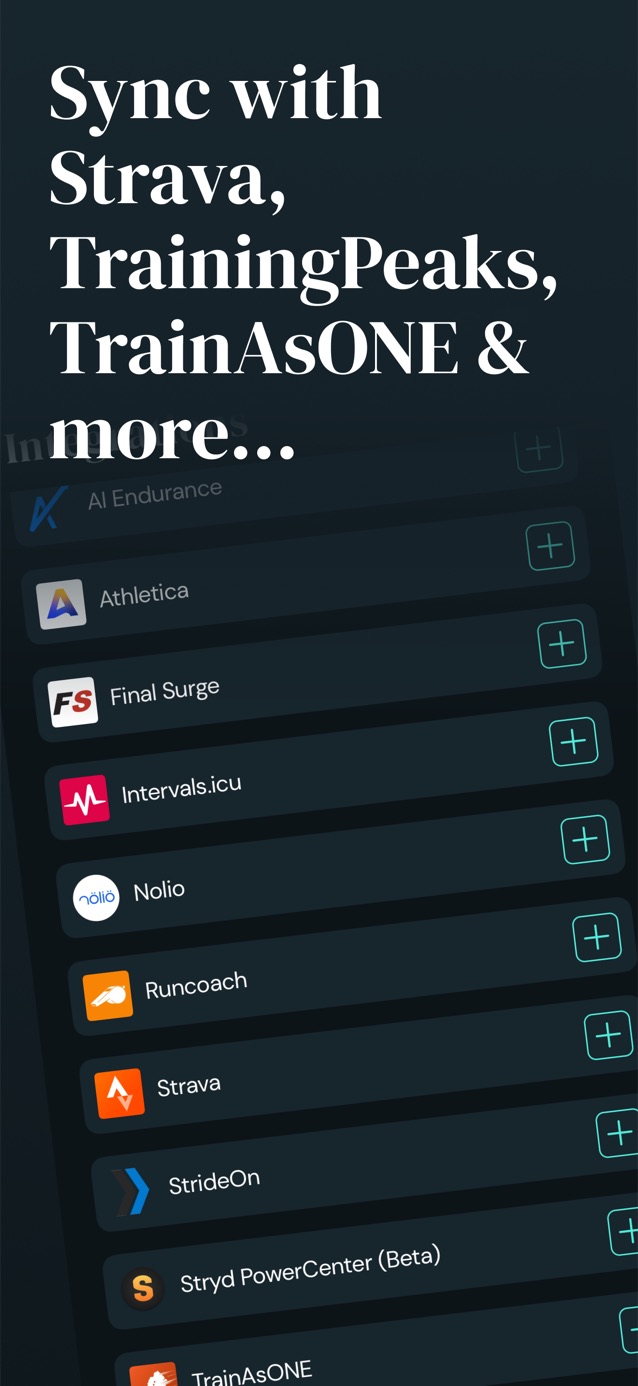
Learn more →Pull structured runs from the services that already hold your training calendar.
 Runna
Runna Tymewear
 TrainingPeaks
 Final Surge
 Intervals.icu
 Nolio
Nolio Runcoach
 CoachX
 TrainAsONE
 Trenara
 AI Endurance
 Athletica
 Tredict
 StrideOn
 V.O2
V.O2 Stryd PowerCenter
Send completed workouts back for analysis and coaching. Runna receives your runs via Strava.
RunnaTymewearTrainingPeaksFinal SurgeIntervals.icuNolioCoachXTrainAsONEAI EnduranceAthleticaTredictStrideOnV.O2 Strava
 Runalyze
 SmashrunStryd PowerCenter
Pair the devices runners actually use while keeping Apple Watch or Wear OS as the live workout display.
Connect heart-rate monitors, Stryd, CORE, Tymewear, treadmills, heads-up displays, cycling power meters, and smart trainers directly in Watchletic on Apple Watch and Wear OS.
| Bluetooth device | Data you can record | Apple Watch | Wear OS |
|---|---|---|---|
| Purpose-built integrations | |||
| Stryd sensor / Stryd Duo | Power, speed, cadence, distance, stride length, ground contact time, vertical oscillation, form power, air power, leg spring stiffness, elevation, impact, temperature, humidity, and Stryd Duo balance metricsStryd Duo also adds ground-contact-time, impact-loading-rate, leg-spring-stiffness, and vertical-oscillation balance plus vertical ratio. | Integrated | Integrated |
| Tymewear VitalPro breathing sensor | Breathing rate, tidal volume, minute ventilation, 60-second average minute ventilation, and inhale/exhale ratioConnect directly in Watchletic. Configure separate running and cycling ventilation zones and retain breathing metrics in FIT exports. | Integrated | Integrated |
| CORE body temperature sensor | Core body temperature, skin temperature, heat strain index, and heart rate when supplied by CORE | Integrated | Integrated |
| FTMS / RSC treadmill or NPE Runn | Speed, distance, and incline; cadence and stride length when supplied by the device | Integrated | Integrated |
| ActiveLook / ENGO glasses | Live Watchletic workout fields in the heads-up display | Integrated | Integrated |
| Standard Bluetooth device families | |||
| Any standard BLE heart-rate monitor | Heart rate; RR intervals, HRV (RMSSD), DFA-a1, and artifact rate when RR data is broadcastHeart rate works through the Bluetooth Heart Rate Service. RR-derived metrics require the monitor to include RR intervals in that service. | Standard BLE | Standard BLE |
| Any compatible BLE cycling power meter | Cycling power and cadence when supplied by the meterConnect directly in Watchletic on Apple Watch or Wear OS using the Bluetooth Cycling Power service. Cadence requires crank-revolution data from the meter. | Standard BLE | Standard BLE |
| Compatible Bluetooth FTMS smart trainer / indoor bike | Power, cadence, speed, distance, heart rate, and battery level when supplied by the deviceRecords data from the Bluetooth Fitness Machine service. Available metrics depend on the trainer; this does not imply resistance control. | Standard BLE | Standard BLE |
| Tested or documented heart-rate monitors | |||
| Polar H10 | Heart rate, RR intervals, HRV (RMSSD), DFA-a1, and artifact ratePolar documents heart rate and RR intervals over Bluetooth; Watchletic derives HRV and DFA-a1 from those RR intervals. | Standard BLE | Standard BLE |
| Wahoo TICKR | Heart rate, RR intervals, HRV (RMSSD), DFA-a1, and artifact rate | Standard BLE | Standard BLE |
| Suunto Smart Sensor | Heart rate, RR intervals, HRV (RMSSD), DFA-a1, and artifact rate | Standard BLE | Standard BLE |
Watchletic can create custom interval workouts, guide targets on the wrist, show readable live metrics, sync sessions with Apple Health or Health Connect, and export GPX, TCX, and FIT files when you need them.
The Wear OS app is designed for round screens and includes a Tile and watch face complication for quick access to today's workout. Explore Watchletic for Wear OS.



After a week with @TrainingPeaks subscribtion, 8020 plan and @watchletic I'm sold! Love to sync my structured workouts directly to the AWU
Can do everything I was looking for. Direct Import/Export with TrainingPeaks, easy creation of more complex runs. Also the feature to get the intermediate results directly to your earphones I dont want to miss. Now only running counts!

I'm always happy to find new apps that can be used to Run with Power - especially when they can be recommended as 'best in class'! I've had the opportunity to test Watchletic over the past few weeks, and have been very impressed - enough to add it as the recommended Apple Watch app when using wrist-based power. And it works with a Stryd footpod too - truly an all-round app (finally!).
I use this app when running and it’s great. I can easily set a variable distance when I want to start my workout. Simply a time saver. Developer listens to feedback and implements features/changes where he can.
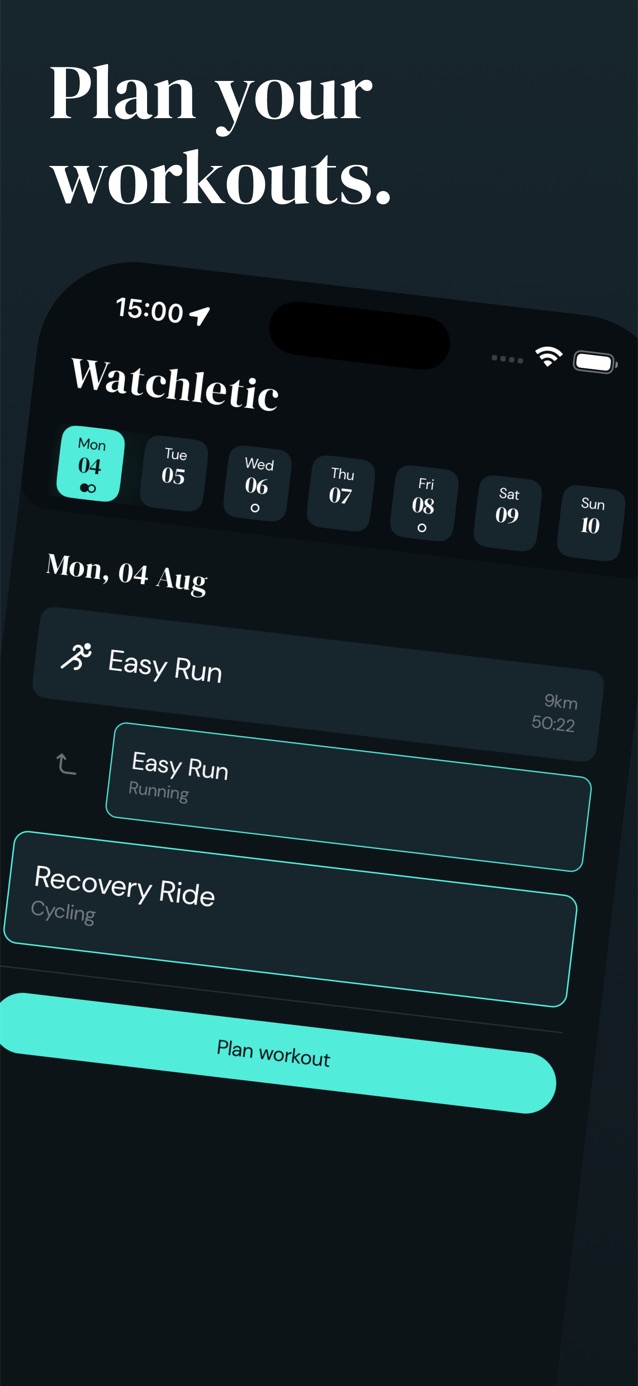
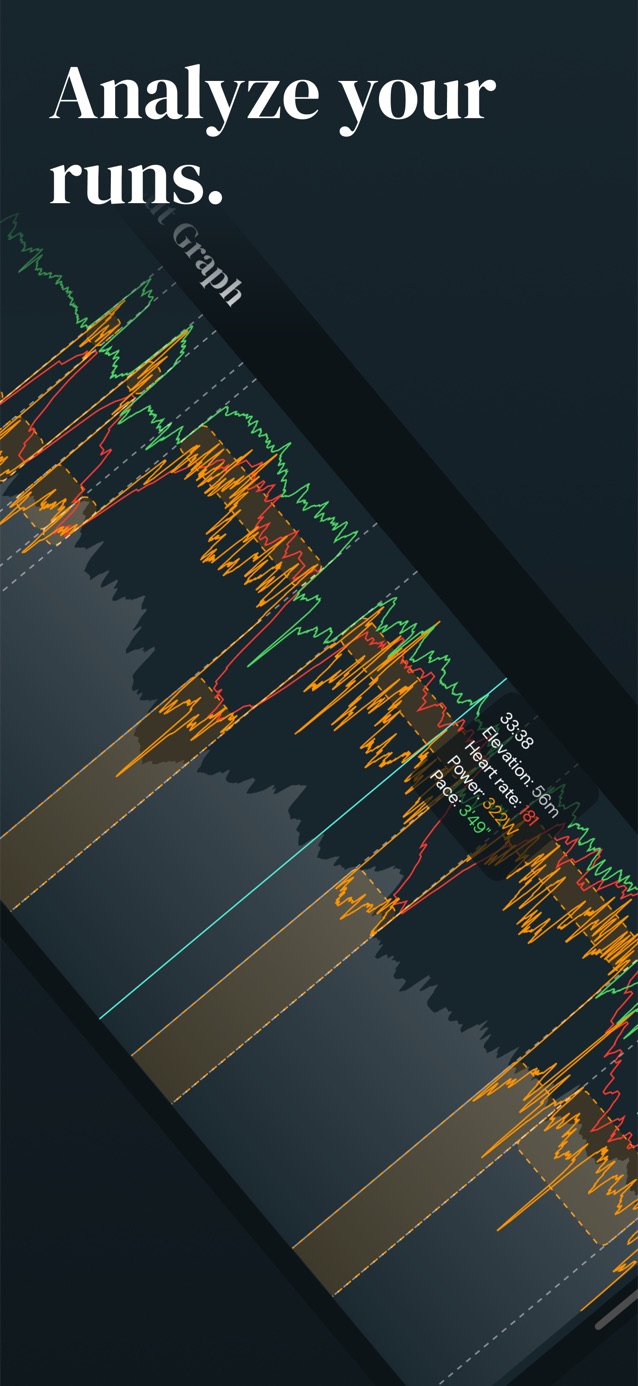
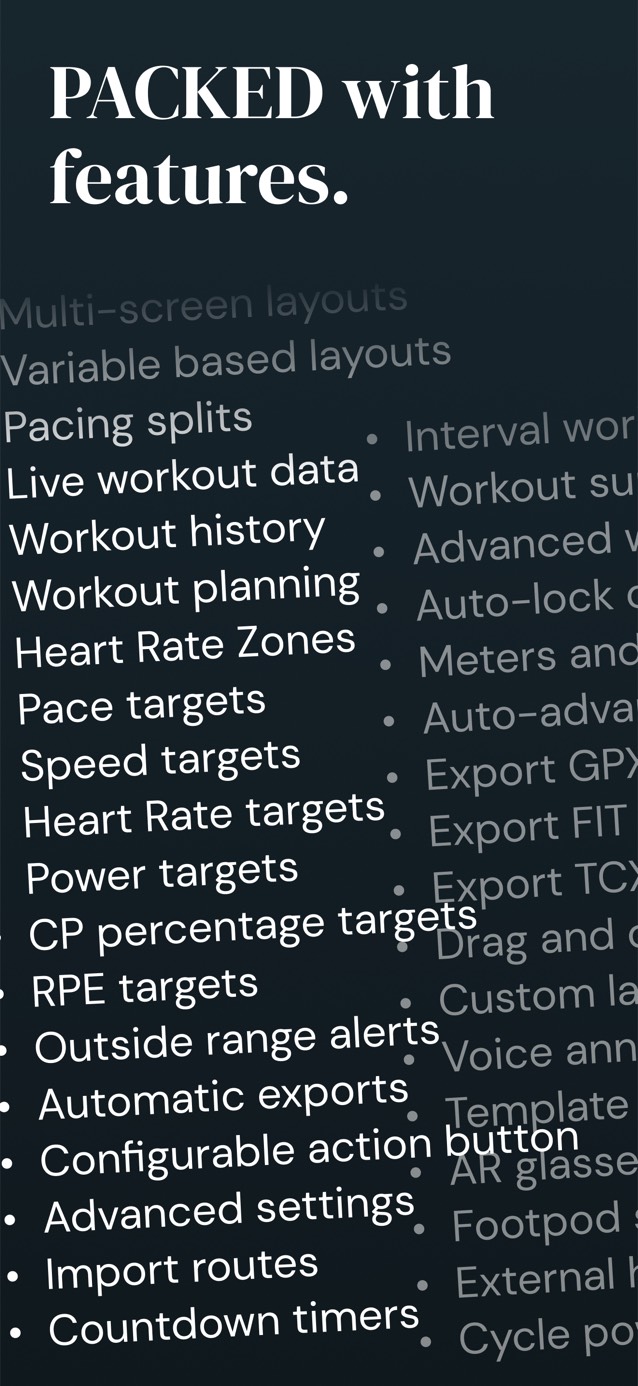

Watchletic's core workout features are free. Join Watchletic Club to import scheduled workouts, import FIT files, and unlock advanced workout graphs. Your local price is shown before purchase. Feature availability can vary by platform and watch model.
| Free | Premium | |
|---|---|---|
| Running workouts | ✓ | ✓ |
| Cycling workouts | ✓ | ✓ |
| Swimming workouts | ✓ | ✓ |
| Walking workouts | ✓ | ✓ |
| Cross-country skiing workouts | ✓ | ✓ |
| Create custom structured workouts | ✓ | ✓ |
| Create custom workout templates | ✓ | ✓ |
| Create custom workout plans | ✓ | ✓ |
| Sync workouts with Apple Health or Health Connect Apple Watch + Wear OS | ✓ | ✓ |
| Announcements for new intervals, current pace, etc. | ✓ | ✓ |
| Show heart rate zones when working out for all workout types | ✓ | ✓ |
| Setup custom layouts for showing live workout data | ✓ | ✓ |
| Setup pacing splits similar to Garmin's PacePro | ✓ | ✓ |
| Always-On display | ✓ | ✓ |
| Connect your watch to Bluetooth devices: Stryd foot pod, heart rate monitors, smart treadmills/Runn, CORE, Tymewear VitalPro, ActiveLook/ENGO glasses, cycling power meters, speed and cadence sensors, and smart trainers Apple Watch + Wear OS | ✓ | ✓ |
| Use Apple Watch Ultra action button to skip intervals or pause workout Apple Watch only | ✓ | ✓ |
| Open today's workout from a Tile or watch face complication Wear OS only | ✓ | ✓ |
| Optionally auto-pause runs and cycling | ✓ | ✓ |
| View post-workout stats | ✓ | ✓ |
| Animate your workouts | ✓ | ✓ |
| Export to Strava and Runalyze | ✓ | ✓ |
| Export to GPX, TCX, FIT files | ✓ | ✓ |
| Export to TrainingPeaks, Final Surge, TrainAsONE, Tredict, Smashrun, Tymewear (with a breathing sensor), and Runna (via Strava) | ✓ | ✓ |
| Import from Runna, Tymewear, TrainingPeaks, Final Surge, TrainAsONE, AI Endurance, Nolio, Runcoach, Trenara, Intervals.icu, Athletica, Tredict, StrideOn, Stryd, V.O2 | ✓ | |
| Import FIT files | ✓ | |
| Advanced graphs | ✓ |