 Watchletic
 integration
Runna on Samsung Galaxy Watch
Import planned runs from your Runna calendar, follow the intervals in Watchletic, and return completed runs through Strava.
Scheduled-workout imports require Watchletic Club.
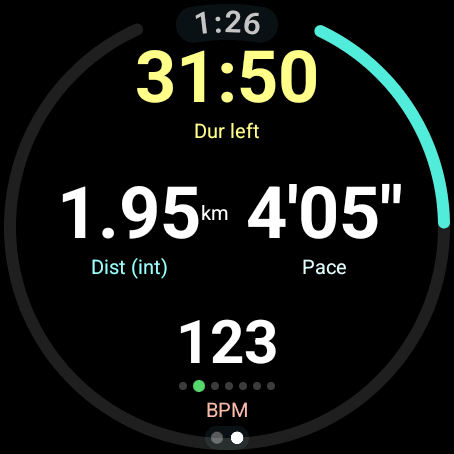
Follow your Runna plan in Watchletic
Watchletic imports planned runs through Runna’s calendar connection. Open the imported session on your watch to follow its workout steps and supported targets. You can connect Stryd or a Bluetooth heart-rate monitor while running the session in Watchletic.
On Galaxy Watch, Watchletic shows the workout steps and live sensor readings in layouts made for the round screen. You can keep pace and heart rate visible while following an imported session.
Connect Runna to Samsung Galaxy Watch, step by step
Start in Runna on your phone, connect the calendar in Watchletic, then open your planned run on the watch. These screenshots show the phone setup followed by Watchletic on a round Wear OS watch. The same steps apply to Samsung Galaxy Watch and Google Pixel Watch.
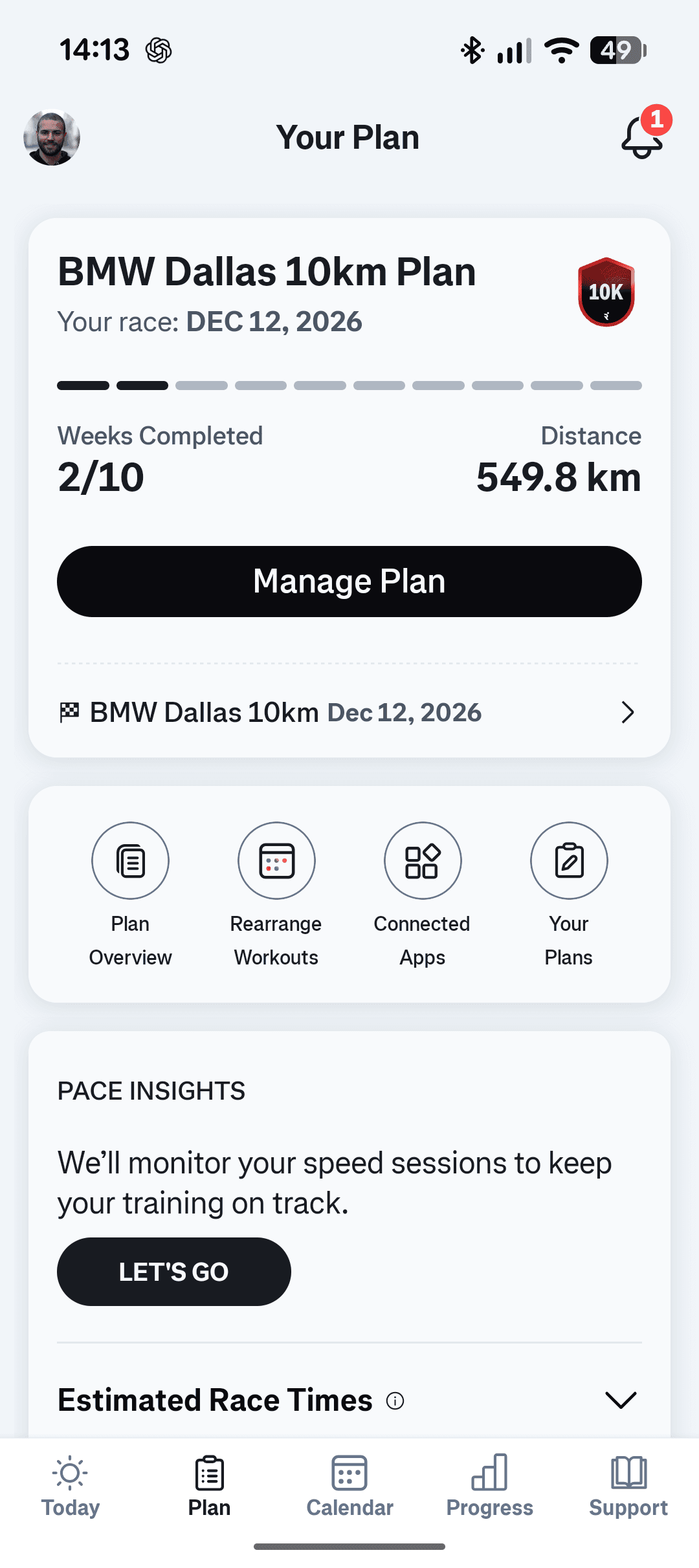
1. Open Runna
On the Plan screen, tap your avatar in the top-left corner.
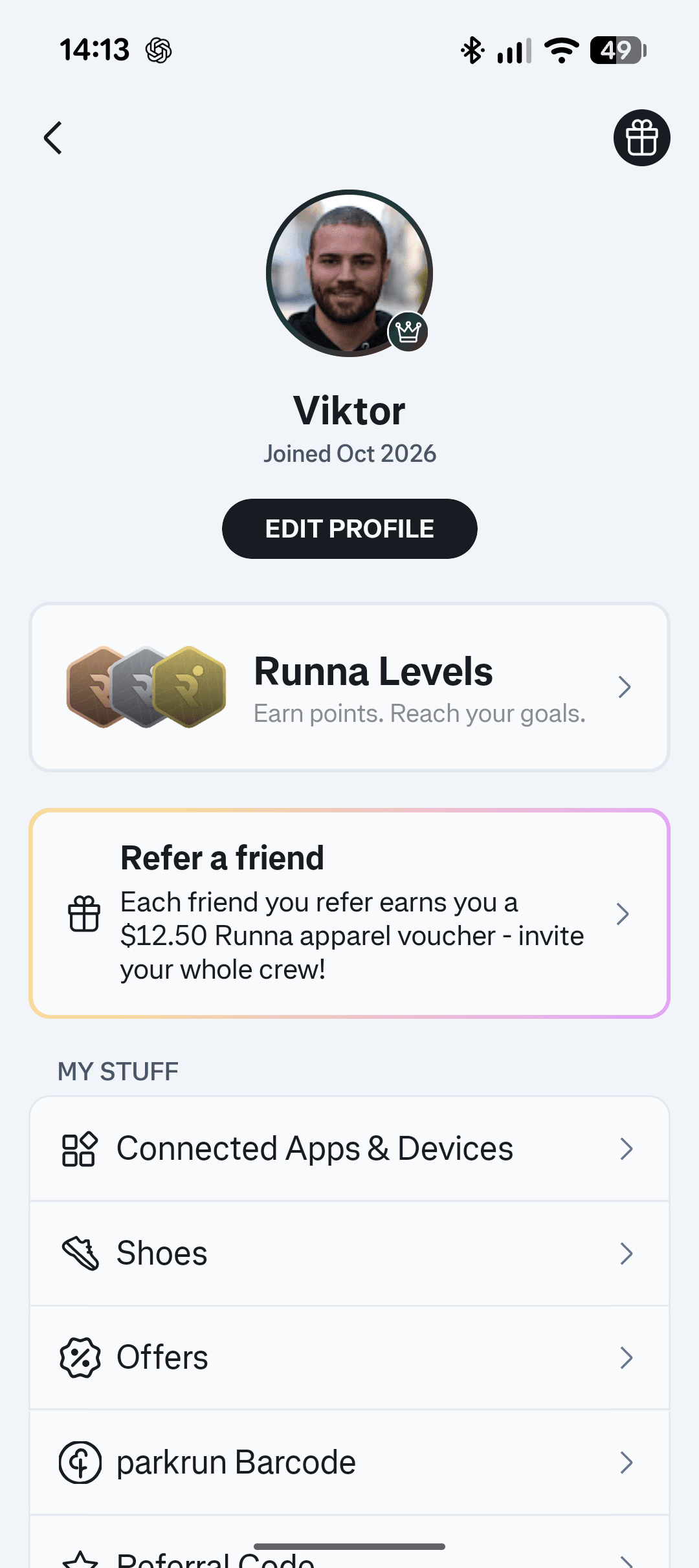
2. Open Connected Apps & Devices
Find Connected Apps & Devices under My Stuff in your profile.
3. Choose Connect Calendar
Scroll to Calendars and tap Connect Calendar.
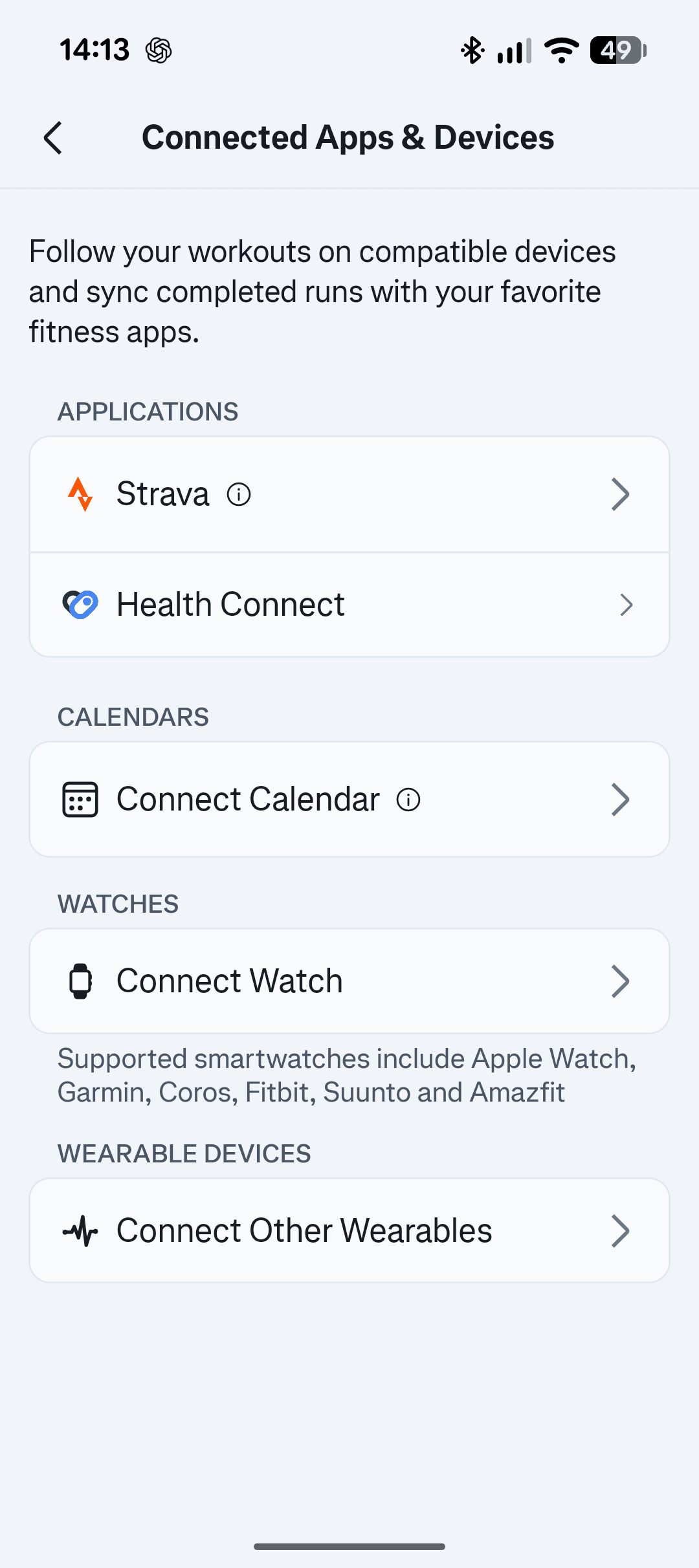
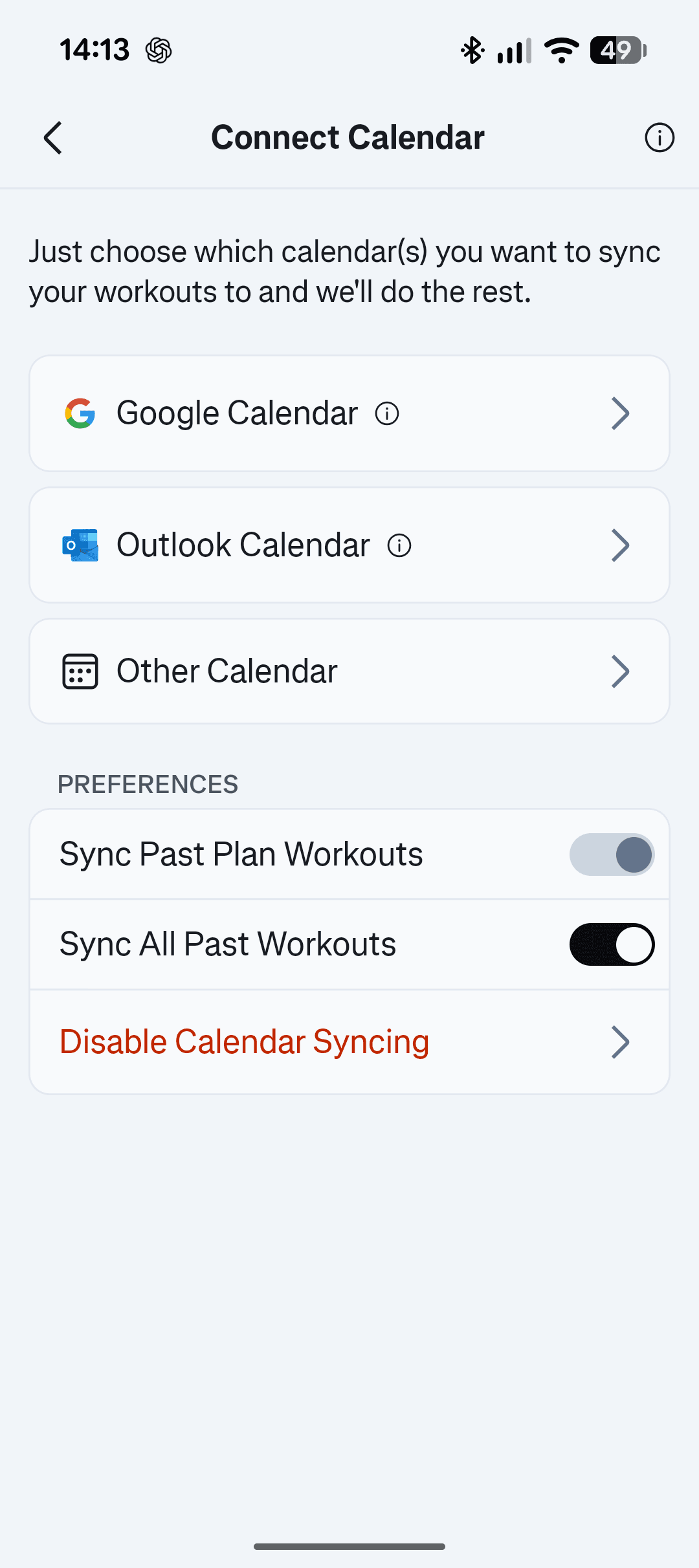
4. Choose Other Calendar
Tap Other Calendar to get the link for your Runna plan.
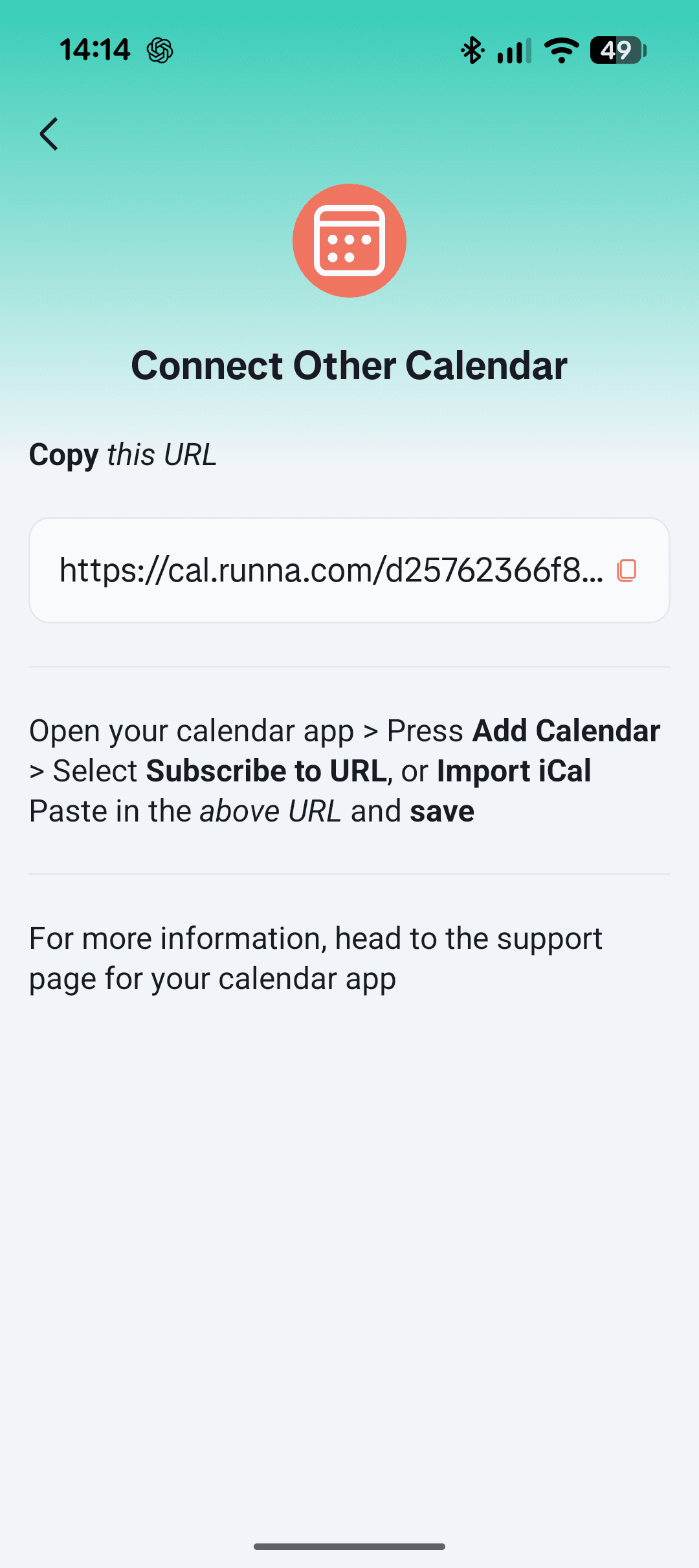
5. Copy your calendar URL
Tap the copy icon next to the URL. You’ll paste this link into Watchletic.
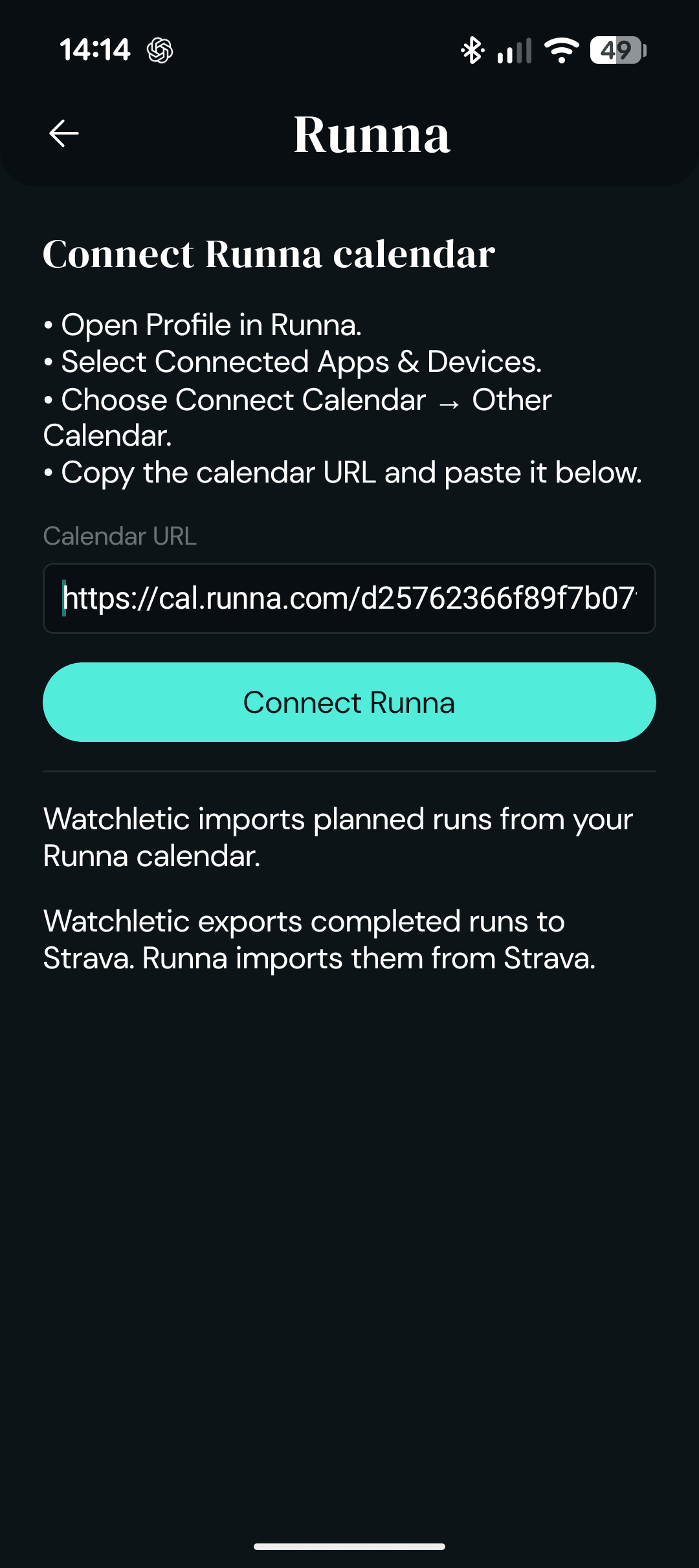
6. Connect Runna in Watchletic
In the Watchletic phone app, open Integrations and choose Runna. Paste the link into Calendar URL, then tap Connect Runna.
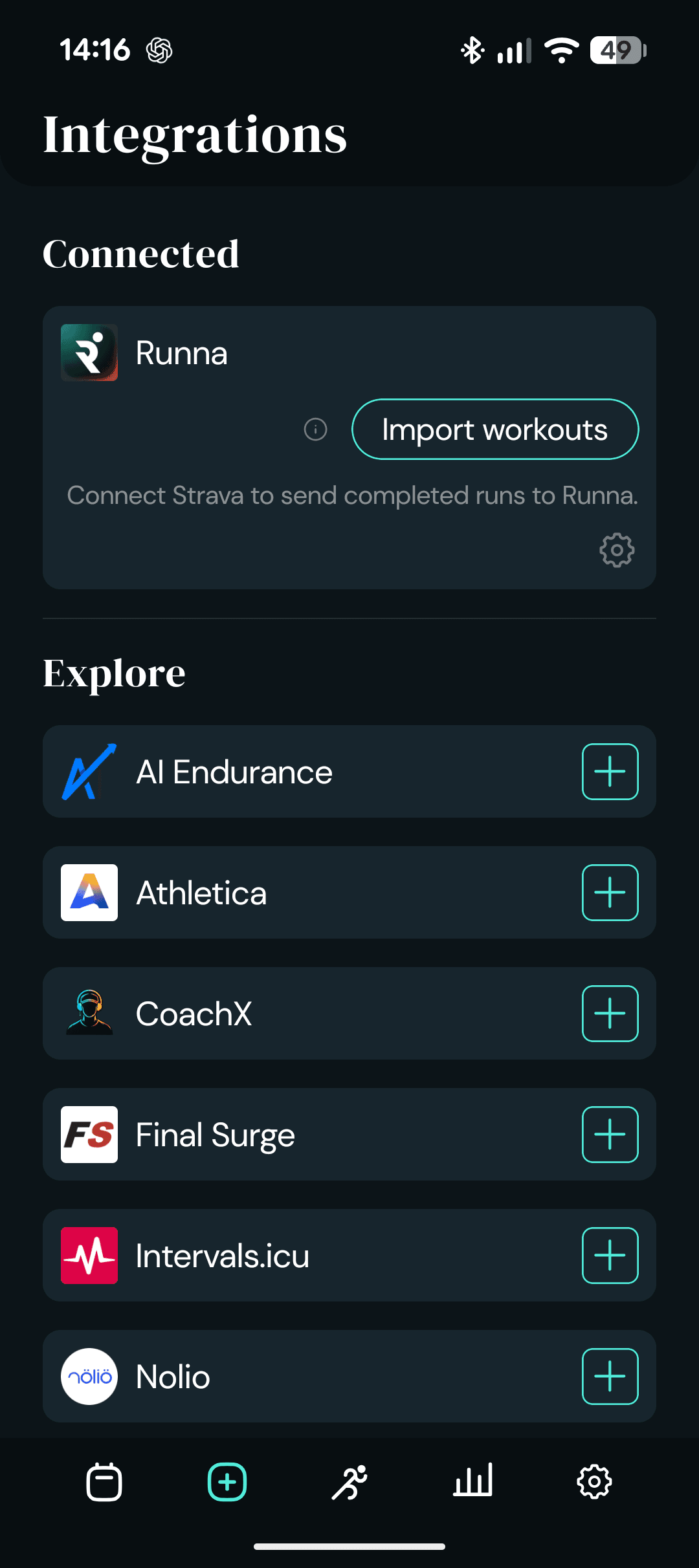
7. Check the connection
Runna now appears under Connected.
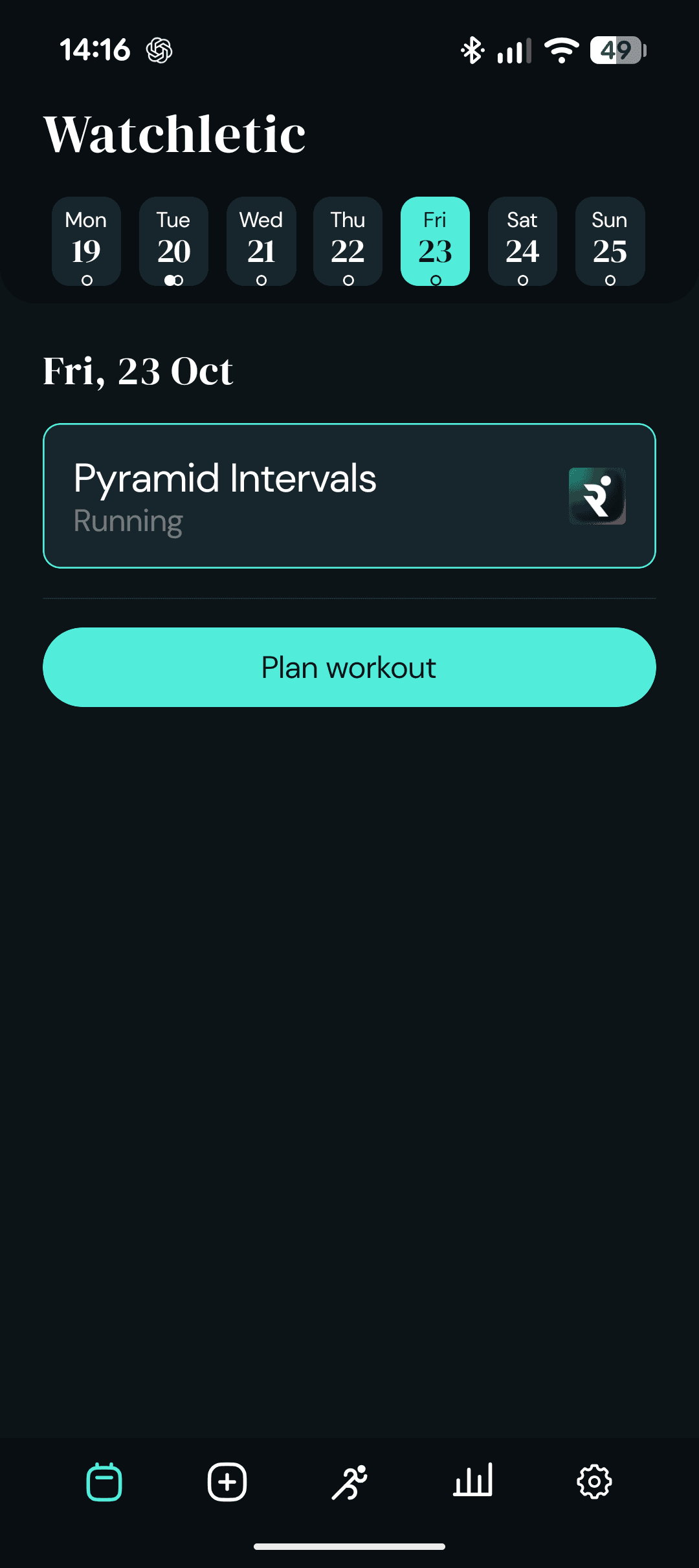
8. Find your planned run
Open the Watchletic calendar and select the day of your Runna workout. The Runna icon identifies imported sessions.
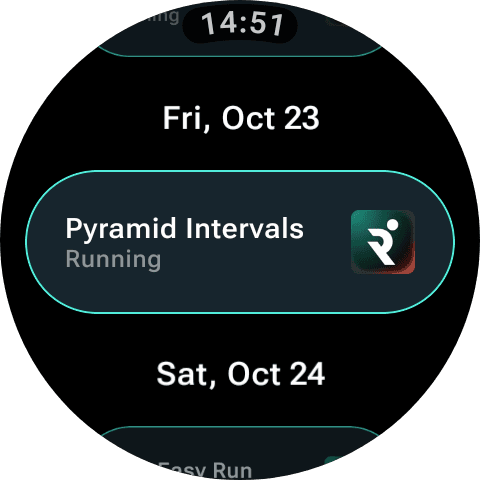
9. Open the workout on your watch
Open Watchletic on your watch and find the same session in your scheduled workouts.
10. Review the workout
Select the session and check its steps and targets. Tap Continue when you’re ready to start.
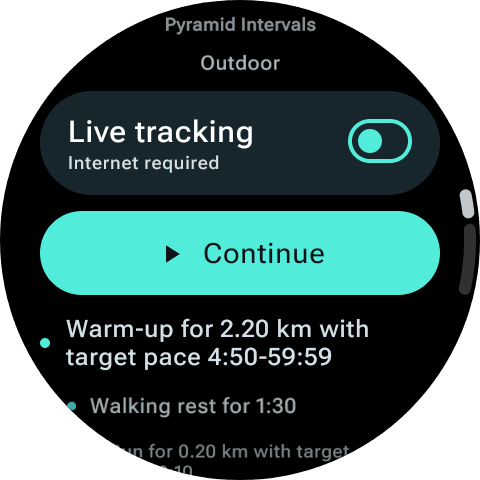
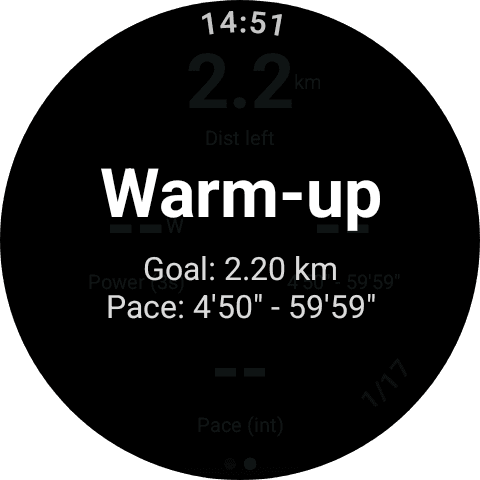
11. Follow the first interval
After you start, Watchletic shows the first step. Here, the warm-up has a distance goal and a pace target.
To send completed runs back to Runna, connect Strava in both Watchletic and Runna. Watchletic uploads your run to Strava, and Runna imports it from there. Check the imported steps and targets before running; some Runna workout instructions may not be supported yet.
Bluetooth devices for Runna workouts
Yes, you can follow a Runna workout in Watchletic with Stryd connected. Connect devices directly in Watchletic on Samsung Galaxy Watch. Add each device before starting the workout and choose the values you want on screen.
- Stryd and Stryd Duo supply running power, pace, distance, cadence, and running dynamics.
- Bluetooth heart-rate monitors, including Polar H10 and compatible Wahoo straps, supply live heart rate. Monitors that broadcast R-R intervals also enable HRV and DFA-a1.
- CORE supplies body temperature and heat strain. Tymewear VitalPro supplies breathing rate, tidal volume, minute ventilation, and inhale/exhale ratio.
- Compatible treadmills and NPE Runn supply indoor running data. ActiveLook/ENGO glasses show live Watchletic workout fields.
- Bluetooth cycling power meters, speed and cadence sensors, and compatible smart trainers connect directly for rides on both platforms.
Pair Stryd, a heart-rate strap, or another supported sensor inside Watchletic on Galaxy Watch. Record the session in Watchletic to use those Bluetooth readings during your imported workout.
Available metrics depend on the device and firmware. Each service controls which fields it displays after upload. See the device compatibility table for supported metrics and watch models. Use Bluetooth devices; Watchletic does not connect over ANT+.
Samsung Galaxy Watch compatibility
Use a Galaxy Watch running Wear OS 5 or later. Older Galaxy Watch models running Tizen cannot run Watchletic. Check the watch compatibility list for your model and available system update.
Questions about this connection
How do I use Runna on Samsung Galaxy Watch?
Install Watchletic from Google Play on your Android phone and Samsung Galaxy Watch. Set up the integration in the phone app, then open Watchletic on Galaxy Watch to start the workout. Import planned runs from your Runna calendar, follow the intervals in Watchletic, and return completed runs through Strava.
Can I use Stryd with an imported Runna workout?
Yes. Pair Stryd directly in Watchletic on your watch, then start the imported Runna session in Watchletic. You can record Stryd running power and dynamics while following the session’s supported targets.
Does Watchletic send my run back to Runna?
Completed runs go through Strava. Connect Strava in both Watchletic and Runna: Watchletic exports the run to Strava, and Runna imports it from Strava.
Runna on your watch
Other integrations: Smashrun · Tymewear · TrainingPeaks · Stryd.
It's free to get started.