 Watchletic
Connect a Heart Rate Strap to Samsung Galaxy Watch Ultra
The Samsung Galaxy Watch Ultra has a built-in optical heart-rate sensor, but Samsung Health does not offer a way to use a Bluetooth chest strap as the heart-rate source for a workout.
With Watchletic for Wear OS, you can connect a supported Bluetooth heart-rate monitor directly to your Galaxy Watch and use its readings during your workout. We use a Polar H10 in the screenshots below, but it is only one example of a supported monitor.
How to connect your heart-rate strap
- Put on and activate your heart-rate strap.
- Open Watchletic on your Galaxy Watch and tap the Bluetooth icon.
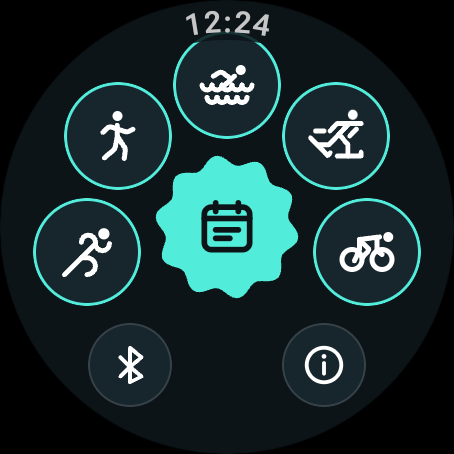
- Choose the type of workout you want to use the strap with, such as Running.
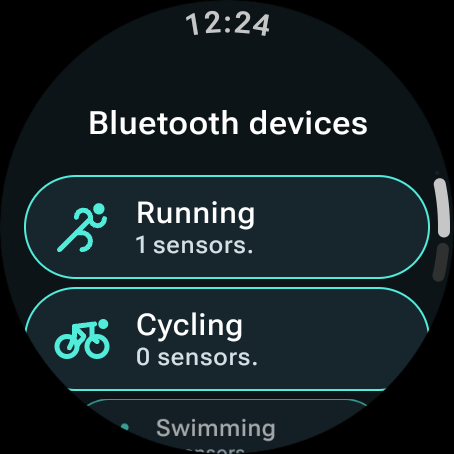
- Tap your heart-rate monitor when it appears.
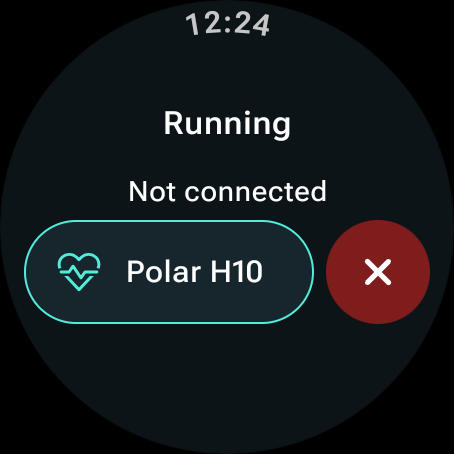
- Return to the home screen and start your workout. On the pre-workout screen, tap Continue. Your heart-rate monitor appears as a circular sensor button in the precision-start view.
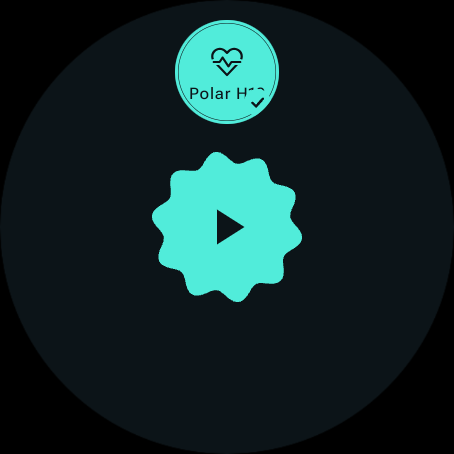
That is it. Press the center start button and Watchletic will use the chest strap for heart-rate data. The same steps work on other Wear OS Galaxy Watches, including the Galaxy Watch 8, Watch 7, Watch 6, Watch 5, and Watch 4 series.


It's free to get started.